


Download Zoom Rooms – Secure, Scalable Video Conferencing for Business & Remote Teams
Zoom Rooms is a powerful, enterprise-grade video conferencing solution designed for modern workplaces. Whether you're managing a corporate boardroom, a collaborative innovation lab, or a remote-first team, Zoom Rooms delivers seamless connectivity, intelligent automation, and robust security. Built for businesses that demand reliability and scalability, Zoom Rooms integrates effortlessly with shared calendars, supports multi-device control, and allows real-time room environment management.
With support for Windows, Mac, Android, and iOS, this software ensures compatibility across diverse workspaces. From setup to daily use, Zoom Rooms simplifies meeting workflows, reduces technical friction, and enhances engagement for both in-person and remote participants. Download Zoom Rooms today and transform your meeting spaces into intelligent collaboration hubs.
Why Zoom Rooms Stands Out in Modern Workplace Technology
Zoom Rooms has emerged as a leading choice for organizations seeking to modernize their meeting environments. Unlike generic video conferencing tools, Zoom Rooms is purpose-built for physical conference spaces, turning any room into a smart, connected meeting hub. At its core, the software provides a centralized interface that allows users to start, join, and manage meetings with minimal effort.
Whether you're a team leader, IT administrator, or guest presenter, the intuitive dashboard ensures a frictionless experience. One of the standout features is its deep integration with calendar systems like Microsoft Outlook and Google Calendar. This means that room availability is automatically updated in real time, eliminating double bookings and reducing scheduling conflicts.
Moreover, Zoom Rooms supports multi-device control, allowing participants to manage audio, video, screen sharing, and even room settings—such as lighting and temperature—from a single device. This level of automation enhances productivity and ensures consistent meeting experiences across locations. The ability to mute remote participants or manage audio inputs remotely is particularly useful in large boardrooms where background noise can disrupt discussions. For businesses with distributed teams, the inclusion of QR code-based meeting access simplifies onboarding for guests, eliminating the need to manually enter meeting IDs. This not only speeds up entry but also improves the overall guest experience.
Security is another pillar of Zoom Rooms. With end-to-end encryption, role-based access controls, and regular software updates, the platform ensures that sensitive business conversations remain protected. The software is also designed with compliance in mind, supporting standards like GDPR and HIPAA. Whether you're in healthcare, finance, or education, Zoom Rooms provides the secure foundation your organization needs. With scalable licensing options and support from certified AV integrators, businesses of all sizes can deploy Zoom Rooms with confidence.
Key Features and How to Use Zoom Rooms in Your Organization
Zoom Rooms comes packed with features that go beyond standard video conferencing. Here’s a breakdown of what makes it a must-have for modern enterprises:
- Calendar Integration: Syncs with Microsoft Outlook, Google Calendar, and other platforms to display real-time room availability and meeting schedules.
- Multi-Device Control: Use a tablet, smartphone, or in-room computer to control the meeting, manage audio/video, and share content wirelessly.
- Room Automation: Control lighting, climate, and even door locks via integrated smart devices for a fully immersive meeting environment.
- Guest Access via QR Code: Guests can join meetings instantly by scanning a QR code displayed on the room’s screen.
- Remote Management: IT admins can monitor and update Zoom Rooms remotely, reducing on-site maintenance needs.
- End-to-End Encryption: Ensures all meetings are secure from unauthorized access or eavesdropping.
- Whiteboard & Annotation Tools: Collaborate in real time with digital whiteboards and drawing tools during meetings.
- Customizable Interfaces: Tailor the user interface to match your company’s branding and workflow preferences.
Setting up Zoom Rooms is straightforward but requires some initial configuration. First, choose a compatible device—such as a Windows PC, Mac, Android tablet, or iOS iPad—and install the Zoom Rooms app. Once installed, sign in with your Zoom account and link it to your organization’s calendar.
The system will then automatically detect available meeting rooms and sync schedules. For optimal performance, it’s recommended to use a dedicated device with a stable internet connection and high-quality audiovisual equipment. Many businesses partner with certified AV integrators to ensure proper installation and calibration of cameras, microphones, and displays.
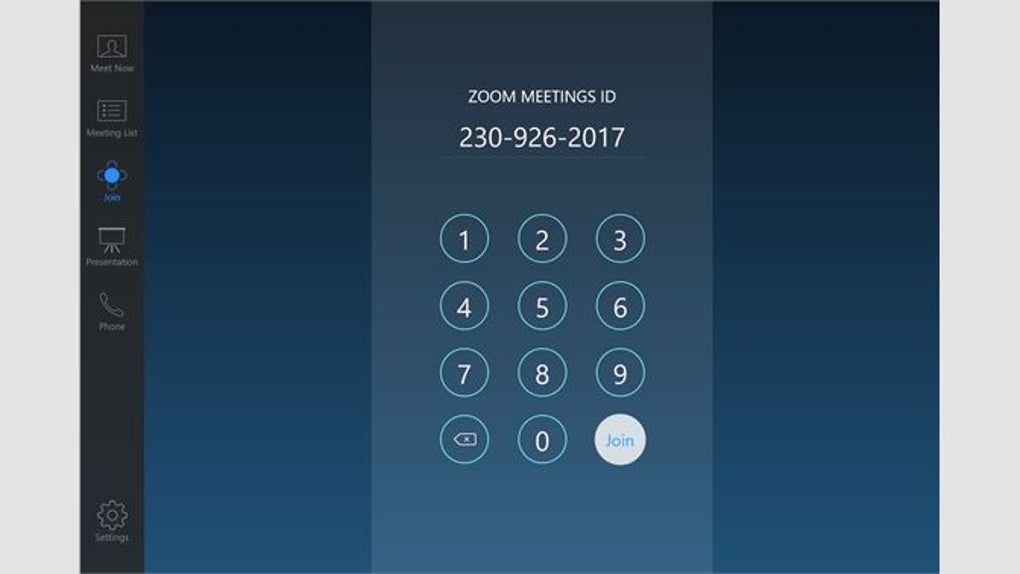
Once set up, users can start meetings with a single tap. The interface is clean and responsive, making it easy for both tech-savvy and non-technical users to navigate. For remote participants, Zoom Rooms supports high-definition video, noise suppression, and AI-powered background blur, ensuring professional-grade connections. The app also supports breakout rooms, live transcription, and meeting recordings—ideal for training sessions, client presentations, and team check-ins.
Compatibility, Installation, and System Requirements
Zoom Rooms is designed to be highly compatible across a wide range of operating systems and devices. Whether you’re using a Windows 10/11 machine, a Mac with macOS Monterey or later, an Android tablet running 8.0 or higher, or an iPad with iOS 14 or above, Zoom Rooms has you covered. This broad compatibility ensures that organizations can repurpose existing hardware or invest in new devices without worrying about platform limitations.
For optimal performance, the recommended hardware includes:
- Intel Core i5 or equivalent processor
- 8GB RAM or higher
- 1080p HD camera (built-in or external)
- High-quality USB microphone or headset
- Stable internet connection (minimum 5 Mbps upload/download)
Installation is simple and can be completed in under an hour for most setups. Begin by downloading the Zoom Rooms app from the official Zoom website. After installation, sign in with your organization’s Zoom account. The app will prompt you to configure room settings, including calendar sync, display orientation, and user permissions. If you're managing multiple rooms, the Zoom Admin Console allows centralized deployment and monitoring.
For businesses with complex AV setups, Zoom offers a certified AV integrator network to assist with professional installation. These experts ensure that audio levels are balanced, camera angles are optimized, and lighting enhances visibility. This is especially critical in large boardrooms or auditoriums where sound quality and video clarity are paramount. Once installed, Zoom Rooms can be updated automatically through the admin console, ensuring all devices run the latest secure version.
Pros and Cons of Using Zoom Rooms for Business
Pros
- Seamless Calendar Integration: Automatically syncs with Outlook and Google Calendar for accurate room scheduling.
- Enhanced User Experience: Intuitive interface with QR code access and multi-device control.
- Robust Security: End-to-end encryption and compliance with major data protection standards.
- Scalable for Large Organizations: Supports hundreds of rooms with centralized management.
- Smart Room Automation: Control lighting, temperature, and access via integrated devices.
- High-Quality Audio/Video: Supports 1080p video, noise suppression, and AI background effects.
Cons
- Hardware Dependency: Requires a dedicated device and quality AV equipment, which can increase upfront costs.
- Setup Complexity: Initial configuration may require IT or AV expert involvement.
- Learning Curve for New Users: Some features may take time to master, especially for non-tech users.
- Subscription-Based Model: Ongoing licensing fees may be a concern for small businesses.
Frequently Asked Questions (FAQ)
Can I use Zoom Rooms on my personal laptop?
Yes, you can install Zoom Rooms on a personal Windows or Mac laptop, but it's recommended for organizational use only. For business deployments, Zoom recommends dedicated devices to ensure performance, security, and consistent updates.
Is Zoom Rooms free to download?
Yes, the Zoom Rooms app is free to download. However, full functionality requires a paid Zoom Rooms license, which is available through subscription plans tailored to business needs.
How do I join a Zoom Room meeting as a guest?
Guests can join by scanning a QR code displayed on the room’s screen. This eliminates the need to manually enter a meeting ID or password, making access quick and secure.
Does Zoom Rooms work with Microsoft Teams?
Zoom Rooms is designed to work with Zoom’s ecosystem. While it doesn’t natively integrate with Microsoft Teams, you can join Teams meetings via Zoom Rooms using the Zoom app, but with limited functionality.
Can I control room devices remotely?
Yes, IT administrators can remotely monitor and manage Zoom Rooms through the Zoom Admin Console. This includes software updates, device status checks, and configuration changes.
Final Verdict: Is Zoom Rooms Right for Your Business?
Zoom Rooms is more than just a video conferencing tool—it’s a comprehensive collaboration platform that transforms physical meeting spaces into intelligent, connected environments. With its seamless calendar integration, robust security, and advanced automation features, it’s ideal for enterprises looking to enhance workplace efficiency and remote collaboration. While the initial setup may require investment in hardware and expert support, the long-term benefits in productivity, user satisfaction, and meeting quality far outweigh the costs.
For businesses aiming to future-proof their meeting infrastructure, Zoom Rooms offers a scalable, secure, and user-friendly solution. Whether you're managing a single boardroom or a global network of conference centers, this software delivers consistent performance across all locations. Download Zoom Rooms today and experience the next generation of smart meeting technology.







